Is anyone else irritated by the way LinkedIn appears to harvest email addresses in an attempt to persuade you to transform correspondents into LinkedIn contacts? I’ve often wondered where LinkedIn got its information about people that I might like to contact but things came to a head yesterday when it suggested that I should make my mother a contact. She’s certainly a great personal contact, but a 79-year old woman hardly rates as a suitable professional contact.
So I began poking around to find out where some of these contact suggestions originate. I know that I have never allowed LinkedIn access to my Office 365 or Gmail accounts, so LinkedIn should not be rummaging through my email to uncover potential contacts. At least, I’m positive that I have never allowed the browser application to browse my personal data.
But the sheer number of suggestions generated by LinkedIn’s “People you may know” feature that are people with whom I have exchanged email, maybe only once or twice, makes me very suspicious that LinkedIn is getting at the data somehow. Right now I’m looking at five or six suggestions for people whom I last send email to in 2009 when we shared a common interest (rugby) in the Bay Area. Those messages are in my Gmail account but I have never looked at them in the last five years nor have I contacted those people by phone, Twitter, Facebook, or any other of the mechanisms that are now available.
In a certain bizarre way, it’s nice that LinkedIn cares enough about me to dig up elements of my past in an earnest attempt to build out my professional network. I imagine that a huge amount of programming effort has been expended to create efficient harvesting algorithms that are capable of making sense from the huge amount of email addresses and other personal data that accumulates in email accounts. On the other hand, it’s kind of creepy that LinkedIn is examining old messages to extract its suggestions.
I don’t pay LinkedIn for its service as I have never seen the need to cough up for an enhanced subscription and I realize that we enter into a certain “compact with the devil” when signing up for cloud-based services where you provide data and the service basically makes whatever use of the data that they can. It is, after all, the way that Gmail operates – Google provides the email service, you generate messages, and Google uses the content to decide what ads are displayed.
Getting back to the original question, I do not know how LinkedIn determined that my mother and old correspondents are suitable contact candidates. Some web searches reveal that I’m not the only one who is concerned about the same issue, which led me to this thread on the LinkedIn community support site. One of the contributions speculate that it must be the LinkedIn phone app that is the culprit and the theory makes sense when you think about it.
I use the LinkedIn phone app on my Nokia 1020 Windows phone (similar apps are available for the iPhone and Android). It’s not the greatest app in the world and it exhibits some annoying bugs at times so I don’t use it often. Nevertheless, I installed the app and clicked through the warnings that told me that the application required access to various data, including contacts. This seems to be the source of the suggested contacts – the LinkedIn phone app has access to the contact data on the phone and is able (because I said so) to use that data. I didn’t anticipate that the data would be used by the browser app too, but that’s probably down to my own ineptitude.
To be fair to LinkedIn, I removed the app from my phone and then reinstalled it from the Windows Store to see what warnings are displayed.
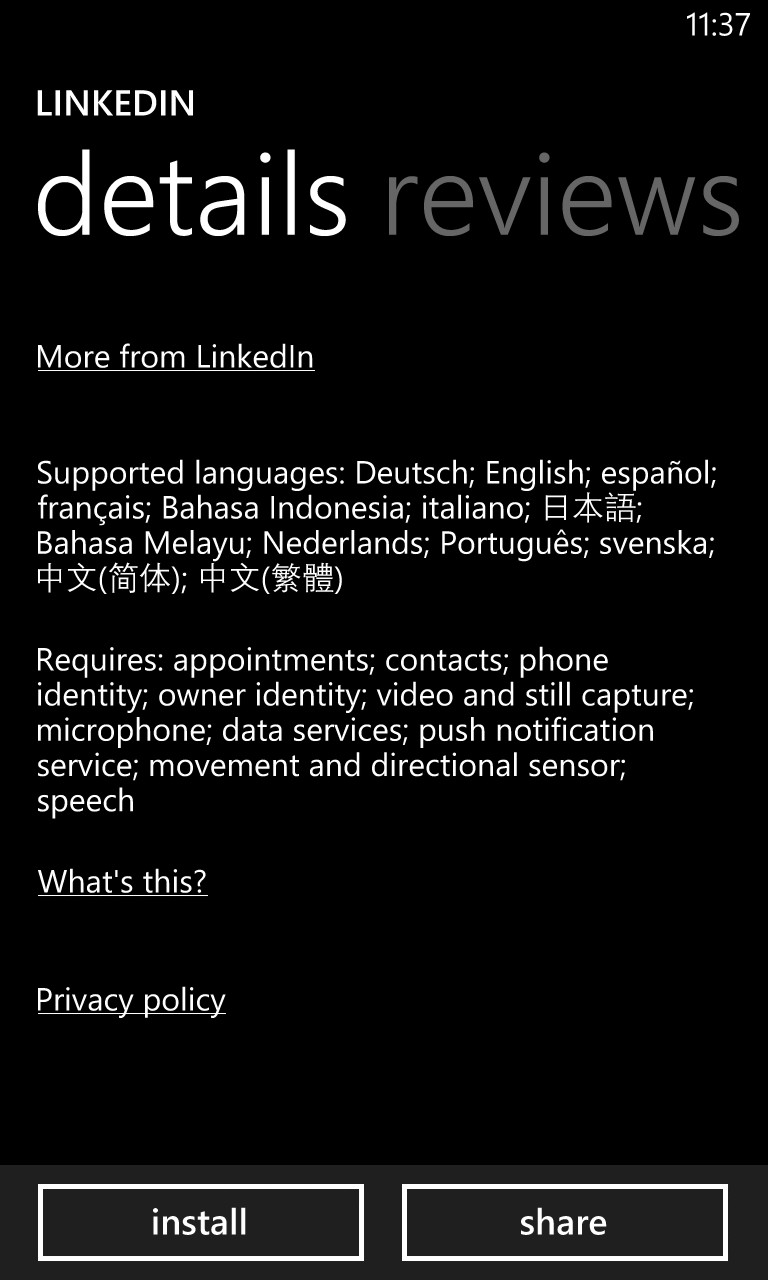
No attempt is made to conceal the fact that the LinkedIn application is allowed to access contact data (above). Once you install the application, it informs you that your contacts are indeed safe with LinkedIn and then proceeds to offer to import your address book to LinkedIn in order to suggest connections (below).
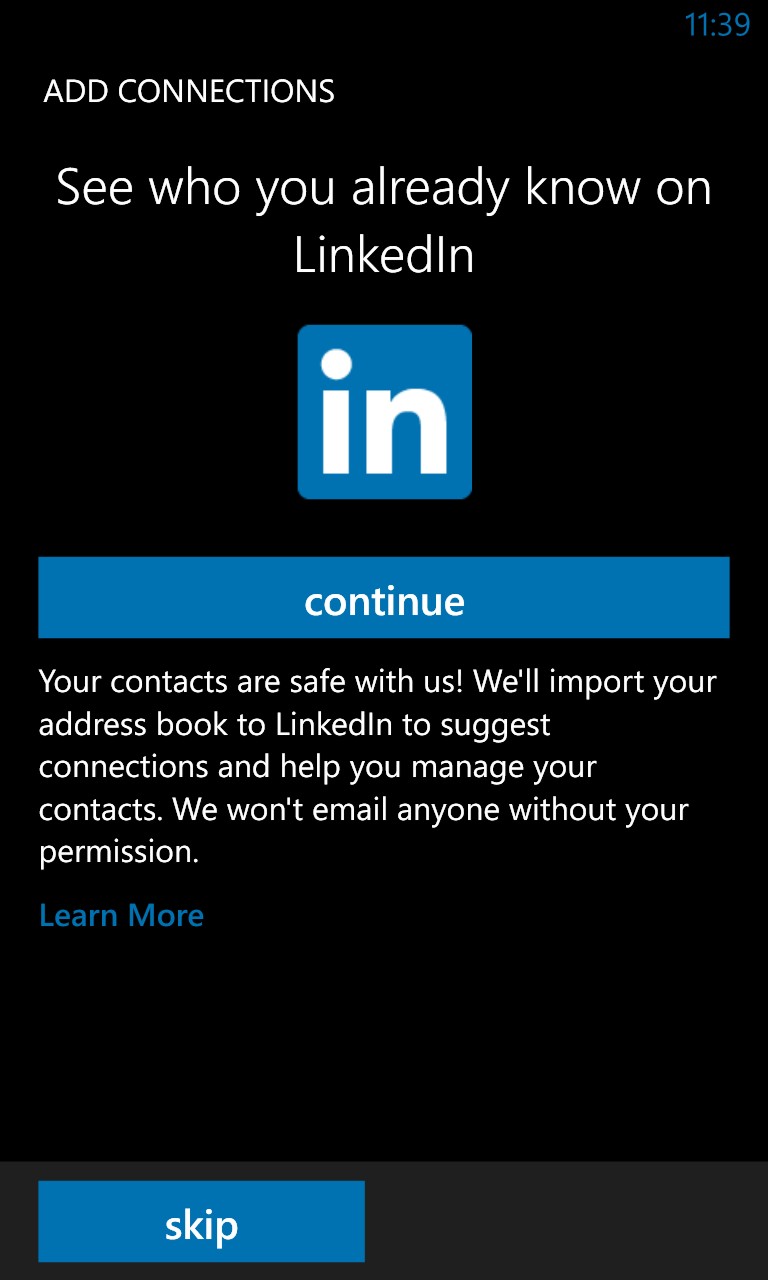
Notice the relative size of the “continue” (to import the address book) and “skip” (to decline the opportunity) buttons. Guess which one is more likely to be clicked by the unwary user.
I’m not saying that importing contacts to suggest connections is a useless or underhand feature because it is obviously not. I am sure that many people extract great value from this feature. For instance, someone who is new to LinkedIn can use their address book as the basis to build out their LinkedIn professional network.
Having some 1,350 LinkedIn contacts already (many of which I can’t remember why we connected), I never felt that using my email contacts was a good way to suggest even more connections, so I didn’t use this feature. But LinkedIn still has access to my contacts and seems to use a pretty liberal interpretation of what a contact is.
Take the rugby contacts from 2009 mentioned above – these people send me email and I replied to it using Gmail. However, I never made them email contacts in the way that I understand a contact to be (an email address that you want to remember and associate with an individual because you correspond with them on a regular basis). Nor do these email addresses show up in the Windows Phone “People” hub, so not even the phone that the app runs on considers them as “contacts.”
It seems likely that the LinkedIn smartphone app harvests email addresses that it finds in Gmail accounts that are known to the devices on which it runs and feeds them back to LinkedIn where the addresses can be used as potential suggestions. It doesn’t seem to do the same with my Office 365 contacts but might access other email systems for the same purpose. The iPhone and Android variants of the LinkedIn app might behave differently too.
I’ve been trying to figure out how Gmail correspondents become LinkedIn suggested connections for some time and can’t come up with a better theory. Maybe you can…
Follow Tony @12Knocksinna


 Thoughtsofanidlemind's Blog
Leave a comment